Quick Start
UGN now supports interconnection between VPCs across accounts on the same platform (China Region – China Region or International Region – International Region). You can follow the steps below for quick start.
Process
Step 1: Create a UGN Instance
Same as the operation for interconnection with network instances under the same account.
Step 2: Associate Network Instance Across Accounts
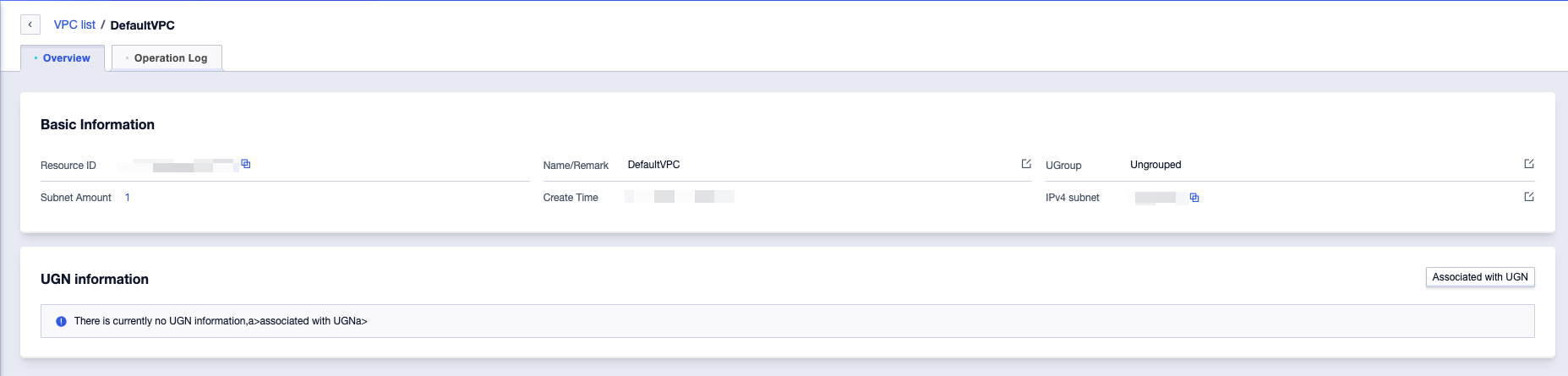
- Select the VPC to be connected and go to the VPC details page.
- In the UGN Information section on the VPC details page, select Associate with UGN.
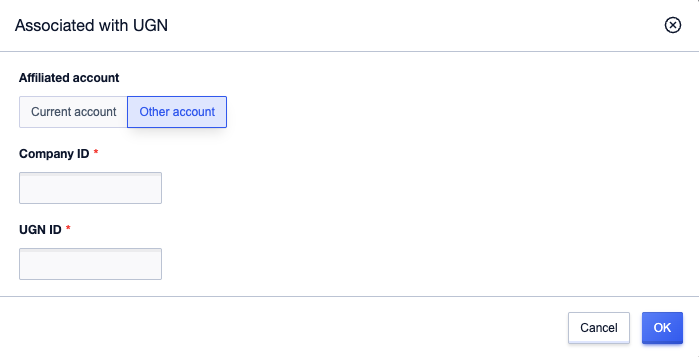
- In the pop-up window, set the account type to Other account, enter the Company ID of the account to which the target UGN instance belongs, and the UGN ID of the UGN instance, then click OK.
- After sending the association request, the status will change to Pending Association in the UGN Information section.
- To withdraw the request, click Withdraw Application and confirm again to complete the withdrawal. Meanwhile, the status of this record will change to Application Withdrawn on the Cross-Account Management tab of the recipient account.
Step 3: Confirm Association by the Recipient Accoun
- After logging in to the primary account, the recipient will see a red indicator on the UGN instance with cross-account requests. Click to enter the UGN instance details page.
- On the Cross-Account Management tab, all requests in Pending Association status are displayed, with Accept and Reject operations available.
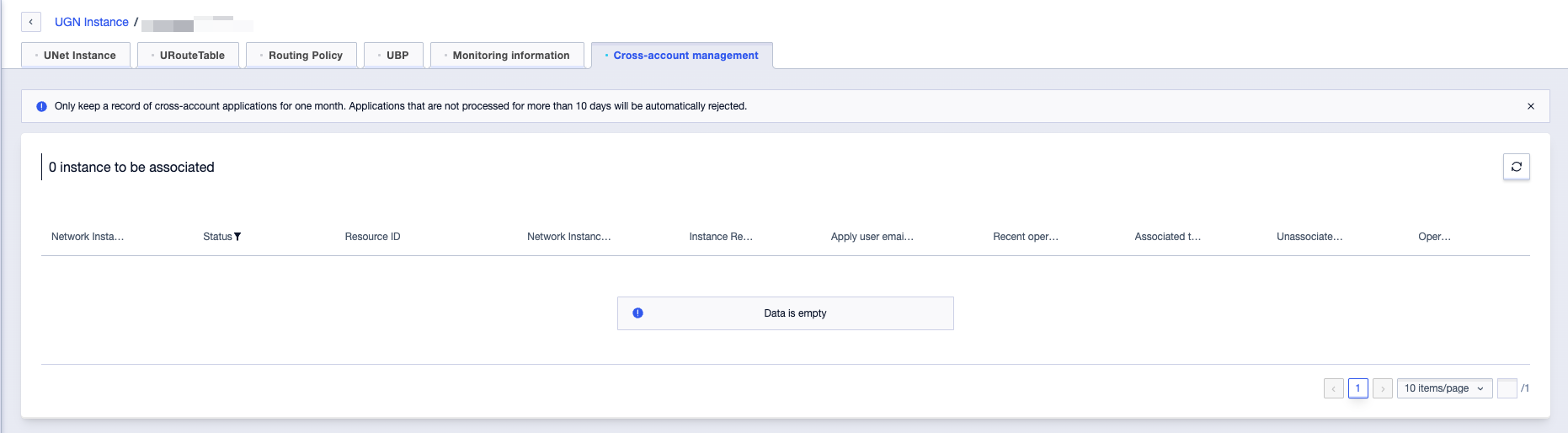
- Click Accept and confirm again to add the cross-account VPC to the UGN instance under the local account. The status of this record will change to Joined on the VPC details page of the applicant account.
- Click Reject and confirm again to decline adding the cross-account VPC to the UGN instance under the local account. The status of this record will change to Rejected.
Step 4: Create and Bind a Bandwidth Package
Same as the operation for interconnection with network instances under the same account.
Step 5: Connectivity Verification
Same as the operation for interconnection with network instances under the same account.
UDPN Network Upgrade with One Click (Coming Soon)
The cross-region interconnection function of UGN is an upgraded version of the UDPN product. If you need to upgrade the existing UDPN network architecture in advance and experience the better interconnection service between the cloud and on-premise environments as soon as possible, you can contact your account manager first. We will formulate an upgrade plan for you individually. An automated upgrade tool will be launched in the future.